Forms
Repeater
A collection of rows edited inline — added, duplicated, dragged, folded, and saved through a relationship.
On this page
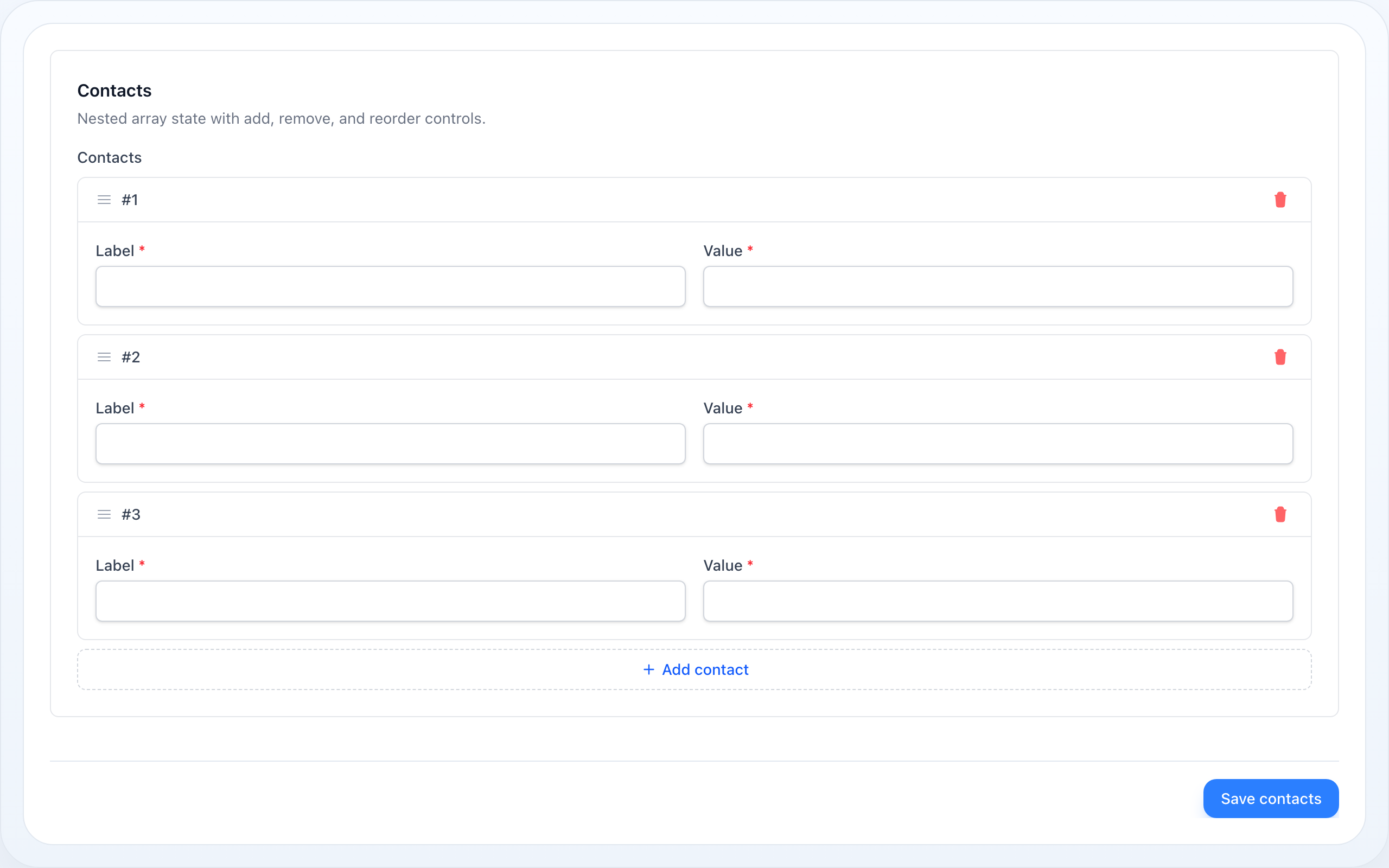
A repeated group of fields: an order's lines, a contact list, a set of opening
hours. One schema is rendered once per row, and the rows are bound to an array —
or, with relationship(), written straight through to a hasMany /
belongsToMany as child records.
use NyonCode\WireForms\Components\Repeater;How It Works
Every row is the same schema, cloned and re-bound. getItemSchema($index)
clones the template components and rewrites each one's state path to
<path>.<index>.<field>, so TextInput::make('email') in row 2 binds
contacts.2.email. Reactivity follows: afterStateUpdated(), $get/$set,
visibleWhen() and live validation all resolve against that row's state, so
flipping row 2's select never touches row 1.
Add, remove, duplicate and move are Livewire calls, not client-side state.
addRepeaterItem, removeRepeaterItem, cloneRepeaterItem, moveRepeaterItem
and reorderRepeaterItems live in InteractsWithRepeaters, one owner for every
host that renders a form — a standalone component and a table action modal alike.
Each is a roundtrip, and the server's re-render is the authority on what the list
now contains.
A new row starts with its fields' defaults. addRepeaterItem seeds the row
with every ->default() its fields declare — through layouts, an enum default as
its value — and leaves out a field that declares none. Defaults only, not the
blanks a whole form self-seeds with: a relationship row becomes a record, and a
key set to null there would override the column's database default.
Dragging reverts before it asks. SortableJS leaves the DOM in the dropped
order; the controller puts the node back where it started and calls
reorderRepeaterItems instead. A card carries no wire:key while a Builder's
block is keyed by index, so the same dropped DOM would converge in one layout and
flip back in the other — letting the server place the row removes the
disagreement. The visible result is the same; the mechanism is one source of
truth rather than two.
Reordering is not persisted unless you say so. Without
orderColumn() a drag rearranges the bound array and
nothing else: a hasMany comes back in whatever order the database returns, so
the drag survives until the next load and no further.
Duplication strips the row's key. A relationship row carries the child's
primary key, and the save handler matches on it — two rows holding the same key
would both fill()->save() the same record, the second overwriting the first,
and one of the two would be gone on reload. cloneable() therefore removes
itemKeyName() (id by default) from the copy, so it
saves as a new child.
The expansion policy decides how a row first renders. It is not re-imposed
on every re-render: with expandLast(), adding a row opens the new one and
leaves the row you were already looking at alone. Anything else would fold a row
shut underneath someone mid-edit.
A relationship repeater's own key is never written as a column.
isDehydrated() returns false when relationship() is set — the key names a
relation, not a column, and writing it would fatal. The rows are written after
the parent record by RelationshipSaveHandler.
The trap. For a long time the views shipped x-sortable markup against an
Alpine directive nothing in this repository registered: the handle rendered, the
cursor said grab, and dragging did nothing at all. Every test reached the
reorder endpoint through ->call(...), and the one browser check asserted that a
handle existed. Drag behaviour is now covered by
workbench/scripts/verify-repeater-reorder.mjs, which performs a real pointer
gesture and asserts the state after the roundtrip.
Basic Usage
Repeater::make('contacts') ->schema([ TextInput::make('name')->required(), TextInput::make('email')->email(), ])Relationship Mode
relationship() binds the rows to related records rather than to a JSON column.
An owned relation (hasMany, morphMany) creates, updates and deletes its rows;
a belongsToMany syncs the pivot, with every field but the related key treated
as pivot data.
Repeater::make('contacts') ->relationship('contacts') ->schema([ TextInput::make('name')->required(), TextInput::make('email')->email(), ]) ->mutateRelationshipDataBeforeSaveUsing(fn (array $row) => [ ...$row, 'source' => 'admin', // stamped on every row on its way to the database ])Filling the form is still yours: pass the rows in as you want them ordered.
Persisting The Order
orderColumn() writes each row's zero-based position into a column on the
related model — or, for a belongsToMany, into a pivot column. Reading it back
is the caller's half, and it is the half people forget:
Repeater::make('lines') ->relationship('lines') ->reorderable() ->orderColumn('sort_order') // written on save ->schema([TextInput::make('description')])// …and ordered on the way in, or the rows return in the database's order and// the column looks broken while being written correctly.public function lines(): HasMany{ return $this->hasMany(Line::class)->orderBy('sort_order');}Reordering
reorderable() gives every row a drag handle and a pair of move buttons. The
buttons are not decoration: a drag handle cannot be operated without a pointer,
so without them reorderable() is unusable for anyone working from the keyboard.
They are disabled at the ends of the list.
Repeater::make('contacts') ->reorderable() ->schema([TextInput::make('name')])Duplicating A Row
cloneable() adds a duplicate button to each row; the copy lands directly below
its original. It answers to the same switches adding does — addable(false), a
disabled repeater or a full maxItems() all remove it, so it cannot be a way
past a limit.
Repeater::make('contacts') ->relationship('contacts') ->cloneable() ->itemKeyName('uuid') // stripped from the copy; default 'id' ->schema([TextInput::make('name')])Which Rows Start Open
collapsible() lets a row fold away. Which rows start folded is a policy, and a
boolean cannot spell the two shapes people actually want — so there are four:
Repeater::make('contacts')->collapsible()->expandAll(); // the defaultRepeater::make('contacts')->collapsible()->expandFirst(); // only the first openRepeater::make('contacts')->collapsible()->expandLast(); // only the newest openRepeater::make('contacts')->collapsed(); // every row foldedexpandFirst(), expandLast() and collapseAll() imply collapsible() — a
list that folds rows and offers no way to open them is a trap, not a feature. The
last call wins in both directions, so ->expandFirst()->collapsed() folds
everything. From two rows up, a Collapse all / Expand all toggle appears
beside the label.
Named Rows
Each row is headed by its number. itemLabel() puts a name beside it — a static
string, or a closure of the row's state and its index. Pair it with a live()
field to have the name follow what is typed.
Repeater::make('contacts') ->collapsible() ->itemLabel(fn (array $state, int $index) => $state['name'] ?? "Contact #{$index}") ->schema([TextInput::make('name')->live()])In the table layout the name gets a column of its own, headed
once — and only when itemLabel() was configured at all, so a closure that
resolves to nothing for one row does not make the heading come and go.
Limits And Emptiness
Repeater::make('contacts') ->minItems(1) // the remove button disappears at the floor ->maxItems(10) // the add button disappears at the ceiling ->addButtonLabel('Add contact') ->emptyLabel('No contacts yet') // shown in place of the rows when there are noneTable Layout
Short, uniform rows — invoice lines, key/value pairs — read better as a table
than as a card each. table() lays the rows out under one header: same state
paths, same add/remove/duplicate/reorder wiring, only the arrangement differs.
Repeater::make('lines') ->table() ->reorderable() ->cloneable() ->schema([ TextInput::make('description')->label('What'), TextInput::make('amount')->label('How much'), ])Each schema field becomes a column headed by its own label, and the per-cell
label is hidden so it is not repeated on every row. Per-item collapsing does not
apply to a row, so collapsible() is ignored in this layout.
Extended Example
use Illuminate\Database\Eloquent\Relations\HasMany;use Livewire\Component;use NyonCode\WireForms\Components\Repeater;use NyonCode\WireForms\Components\TextInput;use NyonCode\WireForms\Forms\Form;use NyonCode\WireForms\Forms\WithForms; class EditInvoice extends Component{ use WithForms; public Invoice $invoice; public array $data = []; public function mount(): void { // Ordered on the way in — orderColumn() writes the position, it does not // read it back. $this->form->fill([ 'lines' => $this->invoice->lines()->orderBy('sort_order')->get()->toArray(), ]); } public function form(Form $form): Form { return $form ->model($this->invoice) ->statePath('data') ->schema([ Repeater::make('lines') ->relationship('lines') ->table() ->reorderable() ->cloneable() ->orderColumn('sort_order') ->itemLabel(fn (array $state) => $state['description'] ?? null) ->minItems(1) ->maxItems(50) ->emptyLabel('This invoice has no lines yet') ->schema([ TextInput::make('description')->label('Description')->required(), TextInput::make('quantity')->label('Qty')->numeric(), TextInput::make('amount')->label('Amount')->numeric(), ]), ]); } public function save(): void { $this->form->save(); } public function render(): string { return '<form wire:submit="save">{{ $this->form }}<button>Save</button></form>'; }}Repeater API
The repeated-collection surface. Folding vocabulary (collapsible(),
collapsed()) is shared with Section and documented in
Section; the rest of the shared field surface is in
Form Fields.
->relationship(?string $name) // hasMany / morphMany / belongsToMany — rows saved as child records->schema(array $components) // the schema repeated once per row->addable(bool $condition = true) // default true->deletable(bool $condition = true) // default true->reorderable(bool $condition = true) // drag handle + keyboard move buttons — default false->cloneable(bool $condition = true) // per-row duplicate button — default false->table(bool $condition = true) // rows under one header instead of a card each->orderColumn(?string $column = 'sort_order') // writes each row's position on save; null = off (default)->itemKeyName(string $name) // the key stripped from a duplicate — default 'id'->itemLabel(string|Closure|null $label) // string | fn(array $state, int $index): ?string->addButtonLabel(?string $label) // default __('Add item')->emptyLabel(?string $label) // default __('No items yet')->minItems(?int $count)->maxItems(?int $count)->disabled(bool|Closure $condition = true) // switches off add, delete, duplicate and reorder->expandAll() // every row open — the default->expandFirst() // only the first row open; implies collapsible()->expandLast() // only the last row open; implies collapsible()->collapseAll() // every row folded; implies collapsible()->mutateRelationshipDataBeforeSaveUsing(?Closure $fn) // fn(array $row): array->getRelationship(): ?string->getOrderColumn(): ?string->getItemKeyName(): string->getItemLabel(array $itemState, int $index): ?string->hasItemLabel(): bool->getEmptyLabel(): string->getItemExpansion(): ItemExpansion // All|None|First|Last->isItemCollapsedByDefault(int $index, int $count): bool->isAddable(): bool->isDeletable(): bool->isReorderable(): bool->isCloneable(): bool->isTable(): bool->getItemSchema(int $index): arrayWhen To Use It
Use Repeater when one form owns a small to medium collection of related child
records and the user should manage them inline. If the children need independent
filtering, pagination or heavy workflows, give them their own table or screen.
Related
- Builder — the same list, where each row picks its own block type
- Form Fields — the shared field API
- Reactive Fields — how
$get/$setscope inside a row - Validation — per-row rules and wildcard paths
- Forms Overview