Forms
Checkbox
A single checkbox for one boolean, with the inline label and the state it writes.
On this page
One box, one boolean. Reach for Checkbox when the question is "yes or no" and
the answer belongs next to its wording — accepting terms, opting into a
newsletter. When the switch is a setting the user flips rather than a statement
they agree to, a Toggle reads better. For several boolean choices
out of a list, use a CheckboxList.
use NyonCode\WireForms\Components\Checkbox;How It Works
A checkbox is a field: it carries a value at its state path and takes part in validation like any other.
Its state type is bool. That is what the form asks when it seeds a blank
schema, so a checkbox that has never been touched starts as false, not null
— which is why ->required() on a checkbox means "must be ticked" rather than
"must be present".
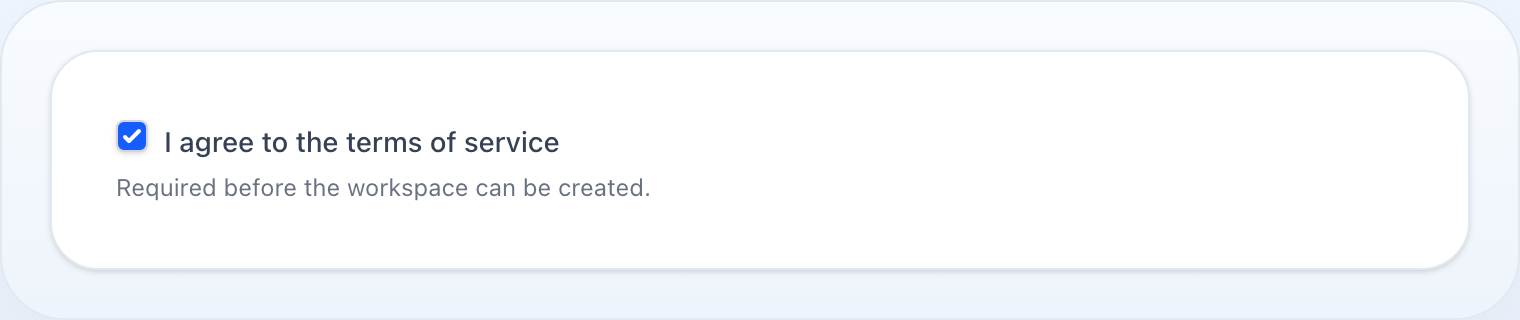
The label is drawn by the checkbox, not by the field wrapper. Unlike every other field, the wrapper is told to hide the label and the checkbox renders it itself, beside the box, with the required asterisk after it. Two things follow:
- A checkbox's label is always next to the box, never above it.
description()is a second, smaller line under that label — it belongs to the checkbox, and is separate from the sharedhelperText()the wrapper renders below the whole field.
inline() currently does nothing here. The method is declared and accepted,
but checkbox.blade.php never reads it — only Radio and
CheckboxList consume isInline(). The label is beside the
box either way, so nothing breaks; it simply is not a choice you have on this
field today.
Basic Usage
Checkbox::make('agree_terms') ->label('I agree to the terms') ->required()A Second Line Of Explanation
Checkbox::make('agree_terms') ->label('I agree to the terms') ->description('You must agree before continuing.') ->required()Reacting To It
live() sends the change to the server, which is what makes other parts of the
form appear and disappear as it is ticked:
Checkbox::make('has_company') ->label('I am buying for a company') ->live(), TextInput::make('vat_number') ->visibleWhen('has_company'), Without live() the VAT field would not appear until the next round trip for
some other reason — which reads as the checkbox being broken.
Extended Example
A sign-up form in a real Livewire host, where one checkbox gates a second:
use Livewire\Component;use NyonCode\WireForms\Components\Checkbox;use NyonCode\WireForms\Components\TextInput;use NyonCode\WireForms\Forms\Form;use NyonCode\WireForms\Forms\WithForms; class Register extends Component{ use WithForms; public ?array $data = []; public function form(Form $form): Form { return $form ->statePath('data') ->model(User::class) ->schema([ TextInput::make('name')->required(), TextInput::make('email')->email()->required(), Checkbox::make('agree_terms') ->label('I agree to the terms of service') ->description('You can read them at /terms.') ->required() ->validationMessages([ 'accepted' => 'You have to accept the terms to continue.', ]) ->rules(['accepted']), Checkbox::make('newsletter') ->label('Send me product news') ->default(true), ]) ->successMessage('Welcome'); } public function save(): void { $this->form->save(); }}Note rules(['accepted']) on the terms box: required() alone rejects a missing
key, while accepted is Laravel's rule for "this must actually be true", which
is what a terms checkbox means.
Checkbox API
->description(string|Closure|null $description) // small line under the label, inside the checkbox block->inline(bool $condition = true) // declared, but this field's view does not read it->getDescription(): ?string->isInline(): bool->getStateType(): string // 'bool'Labels, help text, visibility, defaults, validation and live() are shared by
every field — see Common Field API.
Related
- Toggle — the same boolean as a switch
- CheckboxList — several booleans from one list of options
- Radio — one choice out of several, rather than yes/no
- Reactive fields — what
live()andvisibleWhen()do