Forms
FileUpload
Uploads with previews, validation and image processing — where the file goes, and what the field stores instead of it.
On this page
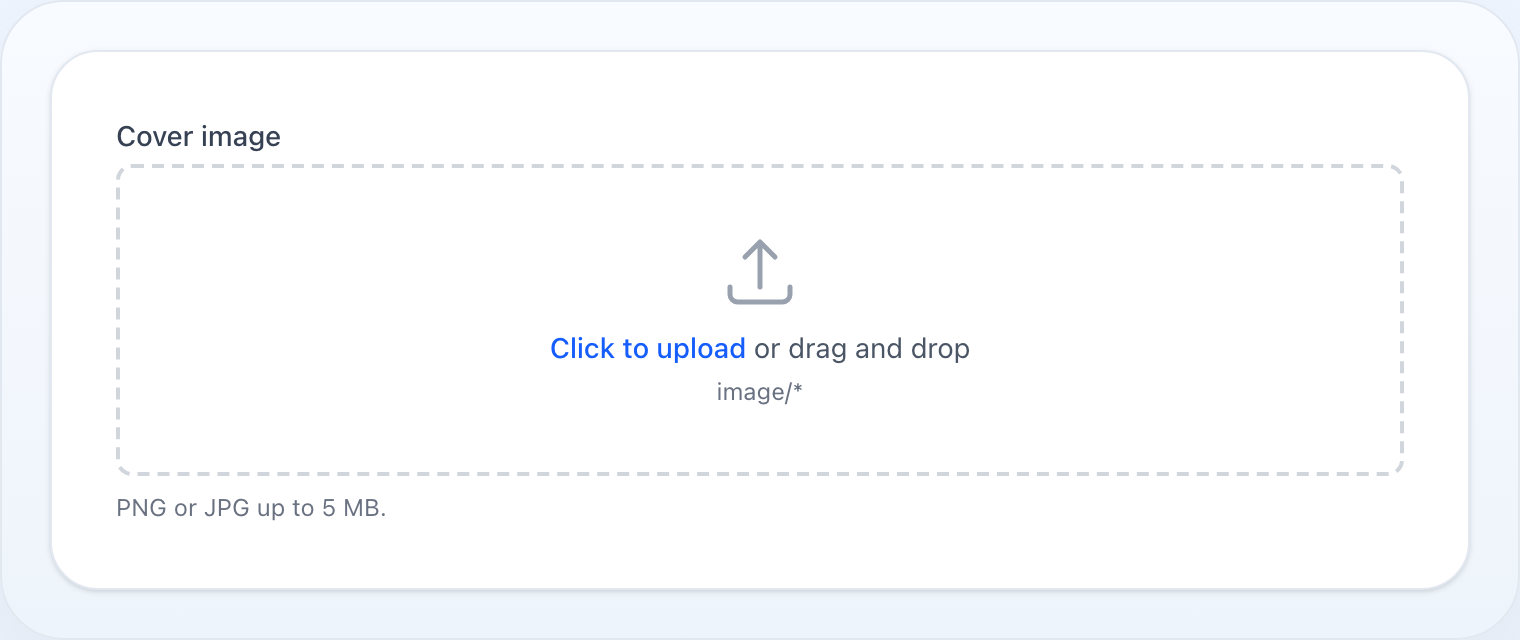
File upload with preview, validation, and image processing.
use NyonCode\WireForms\Components\FileUpload;Basic Usage
FileUpload::make('attachment') ->disk('public') ->directory('attachments')Validation
FileUpload::make('document') ->acceptedFileTypes(['application/pdf', 'image/*']) ->maxSize(10240) // KB ->minSize(100) // KB ->multiple() ->maxFiles(5) ->minFiles(1)The same word means different things to Laravel depending on the state, so the
rules follow the field: on a single upload maxSize/minSize bound the file
in KB; on a multiple upload maxFiles/minFiles bound the number of files.
On a multiple upload the size limits still apply — to each file, at the
item path (data.photos.*) — while the counts apply to the list itself. The two
cannot share a key: max: means kilobytes of a file but a number of items of an
array.
Image Mode
FileUpload::make('photo') ->image() ->imageResizeTargetWidth(1920) ->imageResizeTargetHeight(1080) ->imageCropAspectRatio('16:9')Both run in the browser, before the upload — the point being that a 12 MP
phone photo never travels in the first place. The crop is taken from the centre
of the image; imageResizeTargetWidth/Height fit the result inside that box
and never scale up. A PNG stays a PNG, anything else is re-encoded as JPEG, and
an SVG (no pixels to resample) passes through untouched.
By default the crop is taken from the centre. Let the user place it instead:
FileUpload::make('photo') ->imageCropAspectRatio('16:9') ->cropInteractively() // drag the frame before uploadingThe frame is locked to the ratio, so the result is the same shape either way — only its position changes. Needs a ratio (there is nothing to constrain an unbounded frame), and applies to a single raster image: a batch selection, or an SVG, still goes straight through the centre crop.
Avatar
FileUpload::make('avatar') ->avatar() // round preview + 1:1 crop, single fileavatar() implies image() and a 1:1 crop; an explicit
imageCropAspectRatio() still wins, whichever order you call them in.
Storage
Files store to any disk from config/filesystems.php via disk() (defaults to
the wire-forms.file_upload.disk config, env WIRE_FORMS_UPLOAD_DISK, fallback
public). directory() sets the target folder (nested paths are fine).
FileUpload::make('file') ->disk('s3') ->directory('uploads/2024') ->visibility('public') ->preserveFilenames()By default the stored filename is a random hash; preserveFilenames() keeps the
original client name.
Custom filename & path
For a specific name, use fileNameUsing() — it receives the UploadedFile and
returns the bare filename to store under (within directory() on disk()).
Return an empty value to fall back to the default naming:
FileUpload::make('invoice') ->disk('s3') ->directory('invoices') ->fileNameUsing(fn (UploadedFile $file) => $order->id.'.'.$file->extension()) // → invoices/42.pdfFor full control over the whole stored path — pick the folder and write to
the disk yourself — use storeFileUsing(). It takes precedence over
directory() / preserveFilenames() / fileNameUsing(); the field keeps
whatever path (relative to the disk) you return:
FileUpload::make('scan') ->disk('s3') ->storeFileUsing(fn (UploadedFile $file, string $disk) => $file->storeAs("reports/{$year}", 'summary.pdf', $disk))Storage & merge (store-on-submit)
Selecting (or dropping) a file uploads it to Livewire's temporary storage
and lists it below the drop zone as a pending upload — it is not moved to
permanent storage until you save the form. This keeps the model
orphan-free: an abandoned form leaves nothing behind (the temporary upload
expires on its own). On save, each pending upload is stored to the configured
disk()/directory() (honouring visibility() and preserveFilenames()) and
the field dehydrates to the stored path(s).
- single fields keep the newest upload, and dehydrate to one path (or
null); - multiple fields merge — new uploads are appended to the already-stored paths, so uploading more never discards what was there, and dehydrate to an array of paths.
The host must compose the form runtime (WithForms, or a table/form action
modal); the upload plumbing (Livewire's file handling, the merge step, and the
save-time store) is wired in automatically.
Files list & removal
The field lists everything currently in its state below the drop zone — already-stored paths (from the bound record or a previous save) and pending uploads. Image files show a thumbnail (stored via the disk URL, pending via a temporary preview), others a document icon; a stored file links to itself, a pending one is labelled Pending upload. Each has a remove button that drops it from the form state by index. By default, removing a stored file only drops the reference — the physical file is left on disk (cleanup is the application's concern; see Deleting from disk); removing a pending upload simply discards it.
Pass deletable(false) to show files read-only, without the remove control:
FileUpload::make('gallery') ->image() ->multiple() ->disk('public') ->deletable(false) // display files read-onlyPrivate disks & previews
Stored paths resolve to a browser URL based on visibility():
- a value that is already a full URL or a
data:URI is used as-is; - a public file gets a plain disk URL (
Storage::disk()->url()); - a private file gets a signed, expiring URL
(
Storage::disk()->temporaryUrl()) — set its lifetime withsignedUrlExpiration(minutes)(default5).
FileUpload::make('contract') ->disk('s3') ->visibility('private') ->signedUrlExpiration(30) // signed URL valid for 30 minutesSome drivers cannot produce a URL at all — the local driver throws on both
url() and temporaryUrl() unless served through Laravel's temporary-url
route. Rather than fatalling the field, such a file degrades to no thumbnail
(the filename still shows). To give private files on those disks a real preview,
supply the URL yourself with previewUrlUsing() — it receives the stored path
and returns a URL or a data: URI (or null for no preview):
FileUpload::make('scan') ->disk('local') ->visibility('private') ->previewUrlUsing(fn (string $path) => route('files.show', ['path' => $path]))Deleting from disk
Removing a stored file from the field only drops the reference by default. Opt into physically deleting the file when the field owns its lifecycle:
FileUpload::make('gallery') ->multiple() ->disk('s3') ->deletesFromDisk() // remove also deletes the file from the diskFor custom teardown — deleting a derived thumbnail too, detaching a record —
use deleteUsing(). Providing a callback implies deletesFromDisk() and fully
replaces the built-in delete; it receives the stored path:
FileUpload::make('photo') ->disk('s3') ->deleteUsing(function (string $path) { Storage::disk('s3')->delete($path); Storage::disk('s3')->delete(thumbnailPathFor($path)); })A full URL or data: URI (an external reference the field never stored) is
never deleted, even with deletesFromDisk().
Methods
| Method | Description |
|---|---|
disk(string) |
Storage disk |
directory(string) |
Upload directory |
visibility(string) |
File visibility (public, private) — private previews use a signed URL |
signedUrlExpiration(int) |
Lifetime (minutes) of the signed URL for a private-disk preview (default 5) |
previewUrlUsing(Closure) |
Supply the preview URL yourself; receives the stored path, returns a URL/data: URI or null |
deletesFromDisk(bool) |
Also delete the physical file when a stored file is removed (default false) |
deleteUsing(Closure) |
Custom teardown on remove (implies deletesFromDisk); receives the stored path |
preserveFilenames() |
Keep original filenames |
fileNameUsing(Closure) |
Name the stored file; receives the UploadedFile, returns the filename |
storeFileUsing(Closure) |
Own the whole store step; receives the UploadedFile and disk name, returns the stored path |
acceptedFileTypes(array) |
Allowed MIME types |
maxSize(int) |
Max file size in KB |
minSize(int) |
Min file size in KB |
multiple() |
Allow multiple files |
maxFiles(int) |
Max number of files |
minFiles(int) |
Min number of files |
image() |
Image-only mode |
avatar() |
Avatar mode (circular, single) |
imageResizeTargetWidth(int) |
Resize width in pixels |
imageResizeTargetHeight(int) |
Resize height in pixels |
imageCropAspectRatio(string) |
Crop aspect ratio (e.g. 16:9) |
deletable(bool) |
Whether already-stored files can be removed (default true) |
disabled(bool|Closure) |
Disable the uploader |
required() |
Mark as required |
See Common Field API for label, hint, tooltip, and other shared methods.