Sortable
Row Reordering
Dragging rows into a new order, with a toggle mode and a position column written for you.
On this page
Drag & drop row reordering with a toggle mode and automatic database persistence.
Basic usage
use Livewire\Component;use NyonCode\WireTable\Table;use NyonCode\WireTable\Columns\TextColumn;use NyonCode\WireTable\Concerns\WithTable;use NyonCode\WireSortable\Concerns\WithSortable; class TaskTable extends Component{ use WithTable, WithSortable; public function table(Table $table): Table { return $table ->model(Task::class) ->reorderable() ->columns([ TextColumn::make('name', 'Name'), TextColumn::make('status', 'Status'), ]); } public function render() { return view('livewire.task-table'); }}The WithSortable trait registers Table macros that add reorderable() and other methods to the base Table class. You chain them directly on $table.
The Blade template uses the computed $table property:
{{-- resources/views/livewire/task-table.blade.php --}}<div> {!! $this->table !!}</div>How reorder mode works
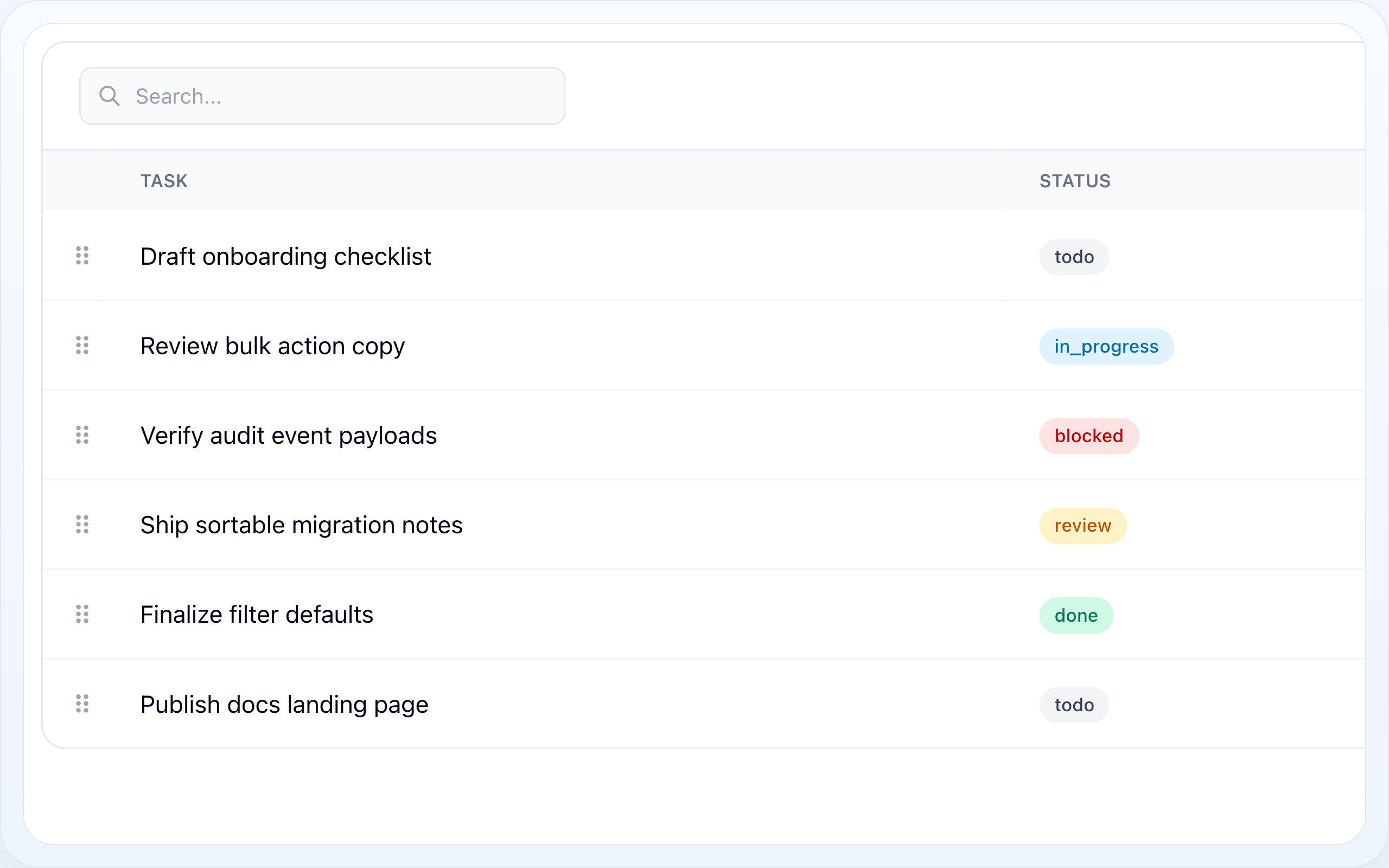
- A "Reorder" button appears in the table toolbar
- User clicks the button to enter reorder mode
- In reorder mode:
- Drag handles appear on each row
- Pagination is disabled (all records are shown)
- The column sort is bypassed -- rows are ordered by the sort column ascending
- Search and filters stay applied, so the list can still be narrowed
- User drags rows to their desired position
- On drag end, the new order is saved to the database
- User clicks "Done reordering" to exit reorder mode
- The table returns to its normal state with pagination and the column sort restored
The column sort has to give way because the sequence on screen is the sequence a drop writes back: it can only ever be the order column's. Search and filters do not, because they change which rows can be dragged, not what dragging means -- see Reordering a narrowed list for why that is safe.
Custom order column
return $table ->model(Task::class) ->reorderable('position') ->columns([...]);The column name must exist in your database table. Defaults to sort_order.
Always-on reorder mode
If you want drag handles visible at all times without a toggle button:
return $table ->model(Task::class) ->alwaysReorderable() ->columns([...]);With a custom column:
return $table ->model(Task::class) ->alwaysReorderable('position') ->columns([...]);In this mode the table is always in reorder mode -- no toggle button is rendered and $isReordering is set to true on mount. There is no way back to a plain table, which is exactly why reorder mode keeps search and filters working: the search box on an always-reorderable table would otherwise never do anything.
Conditional reordering
Disable reordering based on a condition (e.g., user permissions):
return $table ->model(Task::class) ->reorderable('sort_order', auth()->user()->can('reorder', Task::class)) ->columns([...]);When false is passed as the second argument, the reorder button does not appear and the toggleReordering() method is a no-op.
Paginated while reordering
By default, pagination is disabled in reorder mode so the user can drag across the full dataset. If you have a large dataset and prefer to keep pagination:
return $table ->model(Task::class) ->reorderable() ->paginatedWhileReordering() ->columns([...]);Note: With pagination enabled, users can only reorder within the current page. A drop rearranges that page's rows among themselves and leaves every other page where it was.
Reordering a narrowed list
A user in reorder mode can still search, filter and -- with
paginatedWhileReordering() -- page. So a drag usually happens over a subset
of the table, and the rows that subset hides must not move.
They do not, because a drop does not number the rows it was given. It collects the order values those rows already hold, sorts them ascending, and hands them back out in the new visual sequence:
// Rows holding sort_order 10, 20, 30. Drag the last one to the top:// before after// A 10 C 10// B 20 A 20// C 30 B 30Three consequences worth knowing:
- Rows outside the drag never move. They keep their slots, so a search for
auditcan reorder the four matching rows without disturbing the four hundred it hid. - Gaps are preserved. An order column of
10, 20, 30stays10, 20, 30. If you leave gaps to insert into later, reordering does not close them. - An empty or constant order column has nothing to redistribute. There, and
only there, the client's own positions (
1..n) are written instead -- which is the correct answer for a column that carried no ordering to begin with.
Lifecycle hooks
Override these methods in your component to hook into the reorder process:
protected function beforeReorder(array $items): void{ // Authorize, validate, or dispatch pre-reorder logic $this->authorize('reorder', Task::class);} protected function afterReorder(array $items): void{ // Clear cache, dispatch events, log activity Cache::forget('tasks.ordered'); $this->dispatch('tasks-reordered');}Each $items entry is an associative array:
[ ['value' => '1', 'order' => 1], ['value' => '5', 'order' => 2], ['value' => '3', 'order' => 3],]value-- the record's primary keyorder-- the new 1-based position
Custom primary key
By default, reorder queries use the table's primary key (id). If your model uses a different key:
return $table ->model(Task::class) ->primaryKey('uuid') ->reorderable() ->columns([...]);Row Reordering Flow
- The table toolbar shows a reorder toggle when row reordering is enabled
- The user enters reorder mode
- The table displays records ordered by the configured order column
- The user drags rows into the desired order
- Wire Sortable receives the new order and updates the order column in one database transaction
- Your
beforeReorder()andafterReorder()hooks run around the save - The table refreshes and exits or stays in reorder mode based on the user's action